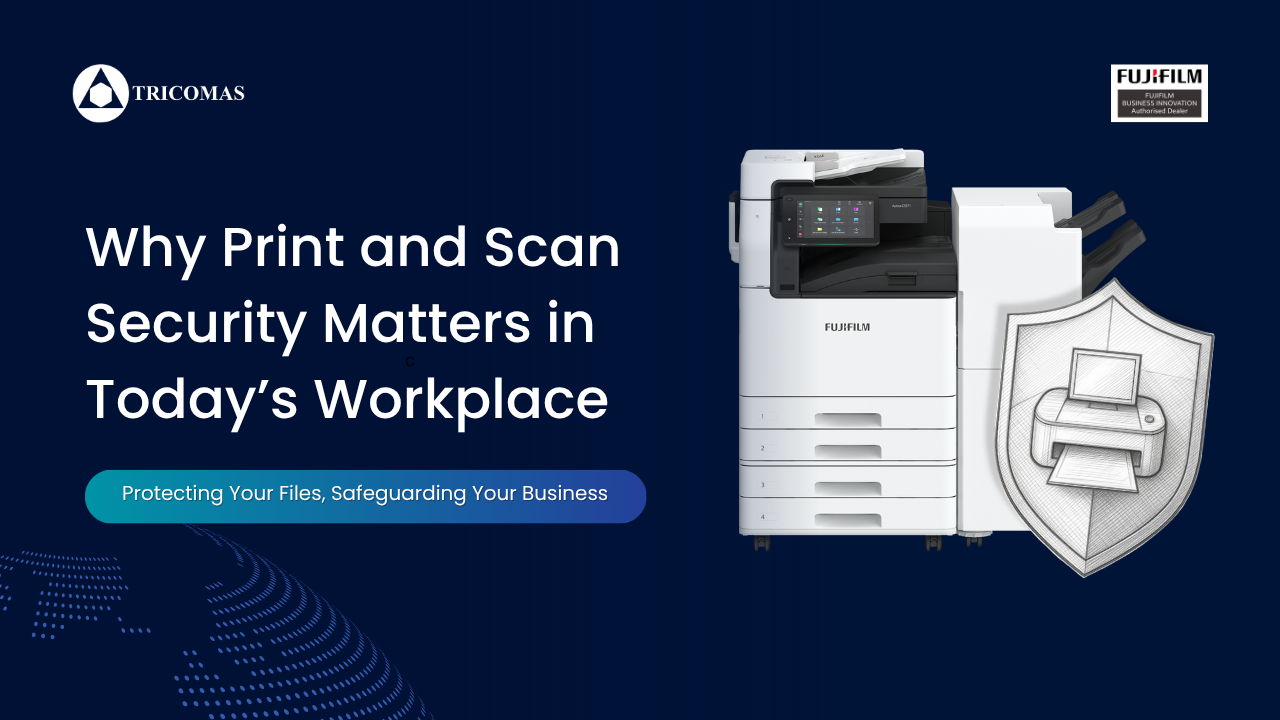
Why Print and Scan Security Matters in Today’s Workplace

Why Print and Scan Security Matters in Today’s Workplace

In today’s digital-first business environment, companies often invest heavily in cybersecurity measures such as firewalls, antivirus software, and cloud protection. However, one area that is frequently overlooked is print and scan security. While businesses focus on protecting digital files and online systems, sensitive information can still be exposed through unsecured printers, photocopiers, and scanning workflows.

From confidential employee records and financial statements to customer data and internal business documents, office printers and multifunction devices process a significant amount of sensitive information every day. Without proper controls in place, these devices can become a major security risk.

As workplaces continue to embrace hybrid work, digital transformation, and stricter compliance requirements, securing print and scan environments is no longer optional — it is an essential part of modern business operations.

The Hidden Risks of Unsecured Printing and Scanning

Many organizations underestimate how vulnerable their print infrastructure can be. Unlike computers and servers, printers are often treated as simple office equipment rather than connected network devices. In reality, modern printers and multifunction devices are highly sophisticated systems connected to company networks and cloud environments.

Without proper security measures, businesses may face risks such as:

1. Unauthorized Access to Confidential Documents

One of the most common security issues in offices occurs when documents are printed and left unattended at the printer tray. Sensitive contracts, payroll records, invoices, or customer information can easily be viewed or collected by unauthorized individuals.

This is especially concerning in shared office environments where multiple departments use the same printer.

2. Data Breaches Through Networked Devices

Modern printers store temporary copies of documents, user activity logs, and scanned files. If these devices are not properly secured, hackers may gain access to sensitive company information through the printer network.

Cybercriminals increasingly target printers because they are often less protected than other IT systems.

3. Compliance and Regulatory Risks

Businesses handling personal or financial information must comply with data protection regulations such as PDPA, GDPR, or industry-specific compliance requirements.

Improper handling of printed or scanned documents can lead to compliance violations, legal penalties, and reputational damage.

4. Excessive and Uncontrolled Printing

Apart from security concerns, unmanaged printing can also lead to unnecessary costs and waste. Employees may unintentionally print excessive documents, duplicate files, or misuse printing resources.

Without visibility into print usage, businesses may struggle to control operational expenses.

Print Security Should Be Part of Every IT Strategy

Organizations today recognize that cybersecurity must extend beyond computers and cloud systems. Every connected device within the workplace plays a role in protecting company information — including printers and scanners.

A secure print environment helps businesses:

  • Protect sensitive company and customer data
  • Reduce the risk of unauthorized document access
  • Improve compliance with data protection policies
  • Enhance accountability through user tracking
  • Reduce unnecessary printing costs
  • Improve operational efficiency
  • Support sustainability initiatives by minimizing waste

By implementing proper print management and security solutions, companies can create a safer and more efficient workplace.

The Role of Print Audit Security Solutions

Print management and security solutions such as Print Audit Security help businesses gain better control over their print and scan environments.

These solutions are designed to improve visibility, accountability, and protection across office printing workflows.

Secure Print Release

One of the most effective security features is secure print release. Instead of documents printing immediately, jobs are held securely in a queue until the authorized user authenticates at the printer.

Authentication methods may include:

  • PIN codes
  • Access cards
  • User credentials
  • Mobile authentication

This ensures that confidential documents are only accessed by the intended recipient.

User Authentication and Access Control

By implementing authentication systems, organizations can control who has access to specific devices and printing functions.

This creates greater accountability while reducing unauthorized use of office equipment.

For example, certain departments may only be allowed to print in color, access scanning functions, or print high-volume documents.

Print Tracking and Monitoring

Print Audit Security solutions provide detailed reporting and tracking capabilities. Businesses can monitor:

  • Print volume by department or user
  • Color vs black-and-white usage
  • Device activity
  • Scanning activity
  • Print costs
  • Usage trends

These insights help organizations identify waste, improve budgeting, and optimize resource allocation.

Data Encryption and Secure Transmission

Secure print systems can also encrypt data during transmission between devices and servers. This helps prevent unauthorized interception of sensitive files during printing or scanning processes.

Encryption adds another important layer of protection, especially for businesses handling confidential information.

Integration with Existing IT Infrastructure

Modern print security solutions are designed to integrate seamlessly with existing office systems and networks.

This allows businesses to improve security without disrupting daily operations.

Whether operating in a small office or a large enterprise environment, organizations can implement scalable solutions tailored to their needs.

The Growing Importance of Scan Security

While print security often receives attention, scan security is equally critical.

Employees frequently scan:

  • Contracts
  • Identification documents
  • Financial records
  • Legal paperwork
  • HR files
  • Customer forms

If scanning workflows are not secured, sensitive documents may be sent to the wrong recipients, stored improperly, or exposed through unsecured email systems.

Secure scanning solutions help businesses:

  • Authenticate users before scanning
  • Route files securely to authorized destinations
  • Encrypt scanned data
  • Maintain audit trails for compliance purposes
  • Reduce human error in document handling

As businesses move toward digital document management, secure scanning processes become increasingly important.

Supporting Hybrid and Modern Workplaces

Today’s workplaces are evolving rapidly. Employees may work from offices, remote locations, or shared environments.

This flexibility creates additional security challenges for document handling.

Secure print and scan solutions help organizations maintain control over document workflows regardless of where employees are located.

Features such as cloud printing, mobile authentication, and centralized monitoring support modern work environments while maintaining strong security standards.

Cost Savings Through Better Print Management

Beyond security, businesses can achieve significant cost savings through managed print solutions.

Many organizations are unaware of how much they spend annually on:

  • Paper
  • Toner
  • Ink
  • Device maintenance
  • Energy consumption
  • Unnecessary printing

By tracking print behavior and enforcing print policies, businesses can reduce waste and improve operational efficiency.

For example:

  • Default duplex printing reduces paper usage
  • Print quotas help manage excessive printing
  • User reporting encourages accountability
  • Centralized management reduces administrative workload

These improvements contribute to both financial savings and sustainability goals.

Building a More Secure Workplace Culture

Technology alone is not enough to ensure document security. Organizations must also promote employee awareness and responsible printing habits.

Businesses should educate employees on:

  • Handling confidential documents properly
  • Collecting prints immediately
  • Using secure authentication methods
  • Avoiding unauthorized sharing of scanned files
  • Following company print policies

A combination of technology, policies, and employee awareness creates a stronger overall security culture.

As businesses continue to prioritize cybersecurity and data protection, print and scan security should no longer be overlooked.

Printers and multifunction devices are an essential part of daily business operations, but they can also become significant security vulnerabilities if left unmanaged.

Implementing secure print and scan solutions helps organizations protect sensitive information, improve compliance, reduce waste, and create a more efficient workplace.

Solutions such as Print Audit Security provide businesses with the visibility, control, and protection needed to manage modern document workflows safely and effectively.

In an era where data security is more important than ever, securing every part of the document lifecycle — including printing and scanning — is a smart investment for any organization.

Want to know more about print audit security? WhatsApp us today!

Cloud Printing: What It Is and Why Businesses Are Switching

Cloud Printing: What It Is And Why Businesses Are Switching?

As businesses continue to adopt digital tools and cloud-based systems, traditional office printing is evolving rapidly. Gone are the days when employees needed to be physically connected to a specific computer or network to print documents. Today, cloud printing is redefining how organizations manage their printing needs — making workflows more flexible, efficient, and scalable.

For small to medium-sized businesses (SMEs) especially, cloud printing offers a practical way to modernize operations without investing in complex infrastructure.

Solutions like Cloud On-Demand Print are designed to help businesses move toward smarter, more connected printing environments — where documents can be accessed and printed anytime, from anywhere.

What Is Cloud Printing?

Cloud printing allows users to send print jobs over the internet instead of relying on a direct connection to a specific printer.

Instead of being tied to a local device or office network, employees can:

  • Upload documents to the cloud
  • Access files remotely
  • Send print jobs from any location
  • Retrieve documents at any connected printer

This means printing is no longer limited by physical location — a major advantage for modern workplaces with hybrid teams or multiple office locations.

How Cloud Printing Works

Cloud printing connects devices, users, and printers through a centralized cloud-based platform.

Here’s how a typical workflow looks:

  1. A user uploads or selects a document from a cloud storage platform
  2. The document is sent securely to the cloud printing system
  3. The user selects a printer within the network
  4. The print job is released when the user authenticates at the device

With solutions like our Cloud On-Demand Print, this process is designed to be simple and seamless, reducing the need for manual file transfers or complex setups.

Key Benefits of Cloud Printing for Businesses

1. Print Anytime, Anywhere

One of the biggest advantages of cloud printing is flexibility.

Employees are no longer restricted to printing from a specific office computer. Whether they are working remotely, attending meetings, or moving between departments, they can send print jobs directly from their devices.

This is especially useful for:

  • Hybrid work environments
  • Multi-branch businesses
  • Teams that require mobility

With cloud printing, documents are always accessible when needed.

2. On-Demand Printing for Greater Efficiency

Traditional printing often leads to inefficiencies such as:

  • Employees waiting at printers
  • Print jobs getting mixed up
  • Documents being printed too early or too late

Cloud On-Demand Print solutions solve this by allowing users to release print jobs only when they are ready.

This means:

  • No unnecessary queues
  • Better control over printing timing
  • Reduced interruptions during work

Employees can focus on their tasks and print documents only when it is convenient.

3. Centralized Print Management

Managing multiple printers across different departments or locations can be challenging.

Cloud printing provides a centralized system where businesses can:

  • Monitor print activity
  • Track usage across departments
  • Manage multiple devices from one platform

This visibility allows organizations to optimize their printing environment and reduce unnecessary costs.

For SMEs, this is particularly valuable as it simplifies operations without requiring an external IT team.

4. Enhanced Document Security

Security is a major concern when handling sensitive business documents.

Cloud printing solutions include features such as secure print release, where documents are only printed after user authentication.

This prevents:

  • Unauthorized access to documents
  • Confidential files being left unattended
  • Accidental document exposure

With secure access controls in place, businesses can protect important information while maintaining efficient workflows.

5. Integration with Cloud Storage Platforms

Modern workplaces rely heavily on cloud storage services such as:

  • Google Drive™
  • OneDrive / OneDrive for Business
  • SharePoint Online
  • Dropbox®

Cloud printing integrates directly with these platforms, allowing users to:

  • Print files directly from cloud storage
  • Scan documents to cloud folders
  • Access files without downloading them manually

This eliminates the need for multiple steps and simplifies document handling.

6. Reduced IT Complexity

Traditional printing environments often require:

  • Driver installations
  • Network configurations
  • Ongoing IT support

Cloud printing reduces this complexity by shifting management to the cloud.

Cloud On-Demand Print allows businesses to:

  • Minimize manual setup
  • Reduce dependency on IT support
  • Simplify device management

This makes it easier for SMEs to adopt advanced printing solutions without technical barriers.

Improving Productivity with Cloud Printing

Cloud printing directly contributes to improved productivity in several ways – like faster workflows where employees spend less time transferring files, connecting to devices, or troubleshooting printing issues.

Our Cloud On-Demand Print is designed to help businesses transition into a more efficient and connected printing environment.

With its cloud-based capabilities, businesses can:

  • Enable secure, on-demand printing
  • Access documents across devices and locations
  • Integrate with existing cloud storage platforms
  • Simplify print management across the organization

By removing traditional limitations, this solution allows companies to take full advantage of modern printing technology.

Want to know more about this feature? Contact Tricomas today!

6 Ways a Multifunction Printer Can Replace Multiple Office Devices

6 Ways a Multifunction Printer Can Replace Multiple Office Devices

In many offices today, it’s common to see a mix of different machines handling different tasks — a printer in one corner, a scanner on another desk, a photocopier in a shared space, and perhaps even a fax machine tucked away somewhere.

While this setup may have worked in the past, it often leads to higher costs, wasted space, and inefficient workflows. For small to medium-sized businesses (SMEs), these inefficiencies can quickly add up.

This is where multifunction printers (MFPs) come in.

Modern MFPs are designed to consolidate essential office functions into a single, powerful device. Instead of managing multiple machines, businesses can streamline operations, reduce costs, and improve productivity — all with one solution.

A strong example is the FUJIFILM Apeos C3567 | C3067, a reliable and high-performing multifunction printer built to support the daily demands of growing businesses.

Let’s explore six key ways a multifunction printer can replace multiple office devices — and why more SMEs are making the switch.

1. High-Quality Printing for Daily Business Needs

At its core, every office needs a dependable printer. However, standalone printers often fall short when it comes to handling high-volume or fast-paced business environments.

Multifunction printers like the FUJIFILM Apeos C3567 | C3067 are built for consistent, high-quality output. They are designed to handle everything from internal documents to client-facing materials with clarity and speed.

Instead of relying on multiple printers across departments, businesses can centralize printing operations into one efficient device. This reduces maintenance needs, simplifies supply management, and ensures consistent print quality across the organization.

2. Built-In Scanning for Digital Workflows

As businesses continue moving toward digital processes, scanning has become just as important as printing.

Rather than using a separate scanner, multifunction printers come equipped with integrated scanning capabilities that allow users to digitize documents quickly and efficiently.

With advanced scanning features, businesses can:

  • Convert physical documents into digital files
  • Send scans directly to email or cloud storage
  • Organize records more efficiently

This helps reduce paper clutter and supports a more streamlined, digital-first workflow — especially important for SMEs looking to improve document management without investing in additional equipment.

3. Mobile Printing for Flexible Work Environments

Work today is no longer limited to desktops. Employees often need to print documents directly from their smartphones, tablets, or laptops.

Multifunction printers support mobile printing, enabling users to send print jobs from virtually anywhere within the office network — or even remotely.

This flexibility is especially useful for:

  • Teams working across different departments
  • Managers who need quick access to documents on the go
  • Hybrid work environments

By eliminating the need for dedicated workstations to print documents, mobile printing helps improve overall efficiency and convenience in the workplace.

4. Secure Document Handling

Data security is a growing concern for businesses of all sizes. Sensitive documents such as financial reports, contracts, and employee records are often printed daily.

Traditional printing setups can pose risks when documents are left unattended in output trays.

Multifunction printers address this issue with secure printing features. Users can send print jobs to the device, but the documents are only released when they authenticate themselves at the printer using a PIN, access card, or other verification methods.

This ensures that confidential information is only accessed by authorized personnel.

For SMEs, this adds an important layer of security without requiring additional systems or devices.

5. Fax Functionality Without a Separate Machine

Although many businesses are moving toward digital communication, faxing is still required in certain industries, such as legal, healthcare, and finance.

Instead of maintaining a standalone fax machine, multifunction printers integrate fax capabilities directly into the device.

This allows businesses to:

  • Send and receive faxes digitally
  • Reduce reliance on outdated hardware
  • Streamline communication processes

By incorporating fax functionality into a single system, companies can maintain compliance with industry requirements while reducing equipment clutter.

6. Photocopying Made Simple

Photocopying remains a daily necessity in many offices, from duplicating documents to preparing meeting materials.

With a multifunction printer, there is no need for a separate photocopier. Built-in copying features allow users to quickly reproduce documents with high accuracy and speed.

Advanced models like the FUJIFILM Apeos C3567 | C3067 offer user-friendly interfaces and customizable settings, making it easy to handle both simple and complex copying tasks.

This not only improves efficiency but also reduces the time employees spend switching between different machines.

Why Multifunction Printers Make Sense for SMEs

For small to medium-sized businesses, investing in multiple devices can be both costly and impractical.

By consolidating essential functions into a single machine, multifunction printers offer several key benefits:

Improved Productivity

Employees no longer need to move between different devices to complete tasks. Everything — printing, scanning, copying, and more — can be done in one place, saving time and improving workflow efficiency.

Cost Savings

Instead of purchasing, maintaining, and supplying multiple machines, businesses can reduce overall costs by managing a single device.

Space-Saving Design

Office space is valuable, especially for SMEs. Replacing multiple devices with one compact system helps free up space for more productive use.

Simplified Maintenance

Managing one machine is significantly easier than maintaining several. This reduces downtime and ensures more consistent performance.

Why Choose the FUJIFILM Apeos C3567 | C3067

The FUJIFILM Apeos C3567 | C3067 stands out as a reliable multifunction printer designed to meet the needs of modern businesses.

It combines:

  • High-quality printing
  • Fast and efficient scanning
  • Mobile connectivity
  • Advanced security features
  • Integrated fax and copy functions

With its robust performance and user-friendly design, it is particularly well-suited for small to medium-sized businesses looking to improve efficiency without overcomplicating their operations.

A Smarter Approach to Office Efficiency

Managing multiple office devices can quickly become inefficient and costly. Multifunction printers offer a smarter alternative by bringing together essential capabilities into one streamlined solution.

By replacing separate machines for printing, scanning, mobile printing, secure document handling, faxing, and photocopying, businesses can simplify operations while improving productivity.

For SMEs looking to optimize their workspace and reduce unnecessary expenses, investing in a multifunction printer like the FUJIFILM Apeos C3567 | C3067 is not just a practical choice — it’s a strategic one.

In today’s fast-paced work environment, efficiency matters. And sometimes, the simplest way to improve efficiency is to do more with less — using one device instead of many.

Want to know if this model is suitable for your business? Then, contact Tricomas today!

The Hidden Cost of Office Printing (And How Businesses Can Reduce It)

Private Printing with FUJIFILM

For many businesses, printing is simply part of everyday office operations. Reports, invoices, contracts, and internal documents are printed throughout the day without much thought about the actual cost behind each page.

However, while printers themselves may seem like a small office investment, the true cost of office printing extends far beyond the purchase price of the machine. Over time, businesses often spend significantly more on consumables, maintenance, inefficiencies, and wasted resources than they initially expect.

For procurement managers and office administrators responsible for managing operational expenses, understanding these hidden costs can help uncover opportunities for meaningful savings.

Below are three of the most common areas where businesses unknowingly lose money in their printing environment: ink waste, inefficient devices, and unmanaged printing systems.

Ink and Toner Waste

One of the most significant contributors to printing costs is the ongoing use of ink or toner cartridges. While many organizations budget for consumables, few actively track how efficiently they are being used.

Ink and toner waste can happen in several ways.

First, many offices replace cartridges before they are fully used. This often happens when employees assume the cartridge is empty due to lighter print quality, even though a significant amount of toner may still remain.

Second, unnecessary printing contributes to increased cartridge usage. Employees may print drafts, duplicate documents, or emails that could easily be reviewed digitally.

Another common issue occurs when printers automatically run cleaning cycles or maintenance routines, which can consume additional ink without producing any printed output. While these processes are necessary to maintain print quality, excessive cycles—especially in underused devices—can lead to unnecessary waste.

Over time, these small inefficiencies accumulate, significantly increasing the cost per printed page.

Businesses that print thousands of pages each month may find that toner costs eventually exceed the original price of the printer itself.

Inefficient Printing Devices

Another major hidden cost comes from using inefficient or outdated printing devices.

Many organizations gradually accumulate printers over time as departments purchase their own equipment. This often results in a mix of different brands, models, and device capabilities across the office.

While this approach may seem convenient initially, it creates several inefficiencies.

For example, older printers tend to have slower print speeds and lower energy efficiency compared to modern devices. Employees may spend unnecessary time waiting for large documents to print, reducing productivity during busy workdays.

Older machines may also require more frequent maintenance and repairs. Parts wear out, paper jams occur more often, and service calls become more frequent. Each disruption can slow down workflows and increase operational costs.

Additionally, maintaining multiple device models means stocking different types of toner cartridges and spare parts. This increases procurement complexity and makes it harder to manage inventory effectively.

In contrast, modern multifunction printers (MFPs) are designed to combine multiple office functions—printing, scanning, copying, and sometimes faxing—into a single, efficient device. Consolidating equipment can simplify operations and reduce long-term costs.

Unmanaged Printing Environments

One of the most overlooked sources of printing inefficiency is the lack of centralized print management.

In many organizations, printing is not actively monitored or analyzed. Employees send documents to printers without any visibility into overall usage patterns.

Without proper oversight, businesses may not know:

  • How many pages are printed each month
  • Which departments use the most printing resources
  • Which devices are heavily used or rarely used
  • How much toner or paper is consumed regularly

This lack of visibility makes it difficult to identify waste or optimize printing infrastructure.

For example, a department may have its own dedicated printer that is rarely used, while another department experiences frequent delays due to high demand on a single machine.

Similarly, sensitive documents may be printed but never collected, resulting in wasted paper and potential security concerns.

When printing systems operate without clear oversight, inefficiencies accumulate quietly in the background.

Paper Waste and Unclaimed Documents

Beyond ink and device inefficiencies, paper waste is another hidden cost that often goes unnoticed.

Research suggests that up to 20–30% of printed office documents are never used. These may include duplicate prints, outdated drafts, or documents that were printed accidentally.

Unclaimed documents sitting in printer trays are common in many offices. Employees may forget to collect their prints, or print jobs may be abandoned after small errors are discovered.

While the cost of a single sheet of paper may seem insignificant, repeated waste across an entire organization can quickly add up.

Reducing unnecessary printing not only lowers costs but also supports sustainability goals by minimizing paper consumption.

How Businesses Can Reduce Printing Costs

Fortunately, businesses can take several practical steps to better manage their printing environment and reduce hidden costs.

The first step is understanding how printing is currently used across the organization. A print assessment reviews device usage, print volumes, and supply consumption to identify inefficiencies.

This insight allows companies to make informed decisions about optimizing their printing infrastructure.

Consolidate Printing Devices

Replacing multiple individual printers with a smaller number of multifunction devices can significantly improve efficiency.

Centralized devices are typically faster, more reliable, and easier to maintain. They also reduce the number of consumables required, simplifying procurement and inventory management.

Implement Print Monitoring

Print monitoring tools allow organizations to track printing activity in real time. Businesses can analyze which departments print the most and identify opportunities to reduce unnecessary output.

This data-driven approach helps organizations better manage resources and control costs.

Encourage Responsible Printing Habits

Employee awareness also plays an important role. Encouraging practices such as reviewing documents digitally before printing, using double-sided printing, and avoiding unnecessary copies can help reduce both paper and toner consumption.

Small behavioral changes across an organization can lead to significant savings over time.

Turning Printing into a Managed Resource

Office printing will continue to play an important role in many businesses, particularly in industries where documentation and record-keeping are essential.

However, without proper management, printing can quietly become one of the most overlooked operational expenses.

By addressing common issues such as ink waste, inefficient devices, and unmanaged printing environments, businesses can gain greater control over their printing infrastructure.

With a more strategic approach, printing can evolve from an uncontrolled cost into a well-managed and efficient business resource that supports productivity while reducing unnecessary spending.

To find the copier machine for your business, contact Tricomas today!

Private Printing with FUJIFILM

Private Printing with FUJIFILM

Private printing is crucial for protecting confidential information because it ensures that only authorized personnel can access and retrieve sensitive documents. Here’s how it strengthens security:

  1. Authentication Requirement – Users must verify their identity using a PIN, ID card, or biometric scan before documents are printed. This prevents unauthorized individuals from collecting or viewing sensitive paperwork. This is crucial if you have many people in the workspace using the same device.
  2. Prevents Documents from Being Left Unattended – Without private printing, confidential files can sit on a printer tray, where anyone passing by can see or take them. Private printing eliminates this risk by holding the document in a secure queue until the user retrieves it.
  3. Reduces Internal Security Threats – Many data breaches occur internally due to mishandling of documents. Private printing restricts access to authorized employees, ensuring that payroll details, contracts, and strategic plans are not accidentally or intentionally exposed to unauthorized individuals.

Key Features of Private Printing Solutions

At Tricomas Marketing Sdn. Bhd., we provide cutting-edge private printing solutions with features that enhance security and efficiency:

  • User Authentication – Secure document release via PIN codes, ID cards, or biometric scanning.
  • Secure Print Queue Management – Holds documents in a digital queue until the user is ready to print.
  • Cloud Printing Integration – Allows users to print securely from any location while maintaining confidentiality.
  • Audit Trails & Reporting – Tracks printing activities to monitor document security and optimize usage.
  • Mobile Printing Support – Enables employees to print from their mobile devices while maintaining privacy.

We carry the most secure machines – including one of our newest models:

The FUJIFILM Apeos C7071 is built for businesses that demand high-speed printing without compromising quality. With a maximum printing speed of 70 pages per minute (ppm) in monochrome and 65 ppm in color (with lower-speed models available at 55 ppm and 45 ppm), this copier is ideal for high-volume office environments, ensuring productivity remains uninterrupted.

Memory & Storage

The 6 GB RAM and 256 GB SSD storage provide fast processing, reducing lag time when handling multiple large documents, making it ideal for high-demand workflows.

Paper Handling Capacity

The Apeos C7071 supports large paper volumes, with a total paper capacity of 520 sheets in two standard trays, plus an 840-sheet tray and a 1,230-sheet tray. Additional configurations allow for a four-tray setup, accommodating 520 sheets per tray. A bypass tray holding 90 sheets is also available for specialty printing.

Supported paper sizes range from A3 (11” x 17”) to A5 and postcards, with custom sizes between 100 x 148 mm to 297 x 432 mm, making it versatile for diverse printing needs.

Security and Private Printing

This model supports private printing features, allowing users to securely release documents with authentication (PIN code, ID card, or biometric access), ensuring sensitive information stays confidential.

Seamless Connectivity for Modern Workspaces

The FUJIFILM Apeos C7071 is designed to integrate seamlessly into modern office environments, ensuring convenience, efficiency, and accessibility. Whether working from a desktop, laptop, tablet, or smartphone, users can easily print and scan documents from multiple devices.

Optimized Workflow Automation for Enhanced Productivity

The FUJIFILM Apeos C7071 is built to streamline document handling with intelligent automation features. Businesses can save time and improve efficiency with:

  • Automated Scan & Print Workflows – Set predefined workflows for frequent tasks, such as scanning invoices to email or printing reports with specific settings.
  • Optical Character Recognition (OCR) – Converts scanned documents into editable, searchable PDFs or Word documents, enhancing document management.
  • Batch Scanning & Auto-Categorization – Multi-page documents can be scanned and automatically sorted into folders for easy retrieval.
  • Job Reservation Function – Allows users to queue multiple print jobs while the machine is in use, reducing downtime.
  • Remote Monitoring & Fleet Management – IT administrators can track usage, diagnose issues, and perform maintenance remotely via an intuitive web-based interface.

Private Printing for Different Industries

Private printing is beneficial across multiple industries, ensuring security and efficiency in document management.

Corporate Offices

Businesses handle a wide range of confidential documents, including financial reports and HR records. Private printing prevents unauthorized access and ensures only authorized personnel retrieve sensitive files.

Legal Firms

Law offices process highly sensitive client information. Private printing protects legal documents from being accessed by unauthorized parties, maintaining attorney-client privilege.

Healthcare Facilities

Hospitals and clinics must comply with strict patient confidentiality regulations. Private printing ensures that medical records, prescriptions, and billing statements remain secure.

Educational Institutions

Universities and schools print large volumes of documents, including exams and student records. Private printing helps prevent leaks and maintains academic integrity.

Government Agencies

Government offices deal with classified and sensitive public records that require strict security measures. Private printing prevents unauthorized access to critical government documents.

Financial Institutions

Banks and financial organizations handle highly sensitive customer data, including account statements, loan documents, and investment reports. Private printing ensures that these documents remain confidential and accessible only to authorized personnel.

To find the copier machine for your business, contact Tricomas today!

Why FUJIFILM Business Innovation (BI)?

Why FUJIFILM Business Innovation (BI)?

FUJIFILM BI is part of a world-leading enterprise for business process and document management services. Our technology, expertise, and services enable our clients – from small businesses to large organizations and government departments– to focus on their core business.

Through the implementation of efficient business processes and effective communication, we deliver the right information to the right people in the right format.   A continuous source of innovation helps us optimize IT and print infrastructures to deploy document strategies that are efficient, productive, and waste-free. This enables our customers to meet their business challenges in new ways with measurable results.

HELPING YOU BECOME MORE SUSTAINABLE

FUJIFILM BI is committed to helping you meet your environmental objectives and developing sustainable technologies for the future.

Energy

As early as 1997, FUJIFILM BI is committed to halve the energy consumption of its equipment. By 2005, we had achieved an average 45 percent reduction in the power consumption rate. As a result, when replacing old equipment with new, our customers can benefit from energy consumption reductions of up to 71 percent. We have received the Energy Conservation Grand Prize 14 times in Japan.

EA-Eco Toner

FUJIFILM BI has developed a more energy-efficient ‘EA-Eco toner’, which can be fused to paper at a temperature more than 20°C lower than conventional EA toner, resulting in up to a 40 percent reduction in power consumption during fusion. New products employing EA-Eco toner are achieving power savings of 15 – 30 percent.

Waste Design For the Environment

Every piece of FUJIFILM BI equipment, from multifunction office devices to high-volume production presses designed with the environment in mind. Our environmental initiatives start from the design stage of product development, where we incorporate technologies that:

  •   Eliminate the need to use hazardous material such as lead-based solder;
  •   Enable low energy consumption during use of the machine;
  •   Utilize innovative and energy-efficient toner and ink technologies;
  •   Minimize the use of new resources; and will later facilitate the remanufacture or recycling of used machines and parts.

Eco Manufacturing

The rationale for taking our products back at end-of-life is not just related to responsible ‘waste’ management; remanufacturing and reusing parts allows us to reduce new resource input and to cut the carbon footprint of new product manufacture. By incorporating policies for future remanufacturing and recycling into our product design process, the FUJIFILM Group has avoided almost 24.5 million tons of carbon emissions in 2021.

Ready to jump into the business innovation plan together? Contact Tricomas today to discover the perfect copier machine for your business!

The Copier Machine for Your Business

The Copier Machine for Your Business

In today’s fast-paced business environment, having the right office equipment is crucial for maintaining productivity and efficiency. Whether you’re running a small business or managing a large corporation, a copier machine is an essential tool that facilitates seamless document management. But with so many options available, how do you choose the right copier machine? At Tricomas, we offer expert advice and supply only the best equipment, ensuring that our clients are equipped for maximum performance.

Investing in a High-Quality Copier Machine Matters

A copier machine is more than just a piece of office equipment—it’s the backbone of your document workflow. Investing in a high-quality copier ensures reliability, efficiency, and cost-effectiveness in the long run. Here’s why a top-tier copier machine is a must-have for businesses:

Modern copier machines are equipped with advanced features like duplex printing, automatic document feeders, and wireless connectivity. These functions help streamline operations, reduce downtime, and allow employees to focus on more critical tasks.

Opting for a high-quality copier may seem like a significant investment upfront, but it reduces long-term costs by minimizing breakdowns and maintenance expenses. At Tricomas, we ensure that only genuine parts and consumables are supplied with our machines, so you don’t have to worry about frequent replacements and malfunctions.

With businesses handling sensitive data daily, document security is a top priority. Many advanced copier machines come with built-in security features, such as encryption, user authentication, and secure print release, ensuring that your confidential information remains protected.

Types of Copier Machines Available

There are various types of copier machines designed to meet different business needs. Here’s a look at some common categories:

1. Multifunction Copier Machines

These all-in-one devices combine printing, scanning, copying, and faxing capabilities in a single unit, making them ideal for businesses looking to consolidate their office equipment.

2. Monochrome vs. Color Copiers

  • Monochrome Copiers: Suitable for businesses that primarily deal with text-based documents.
  • Color Copiers: Essential for companies that require high-quality colored prints, such as marketing agencies and design firms.

3. Compact Desktop Copiers

Perfect for small offices and home businesses, these copiers offer essential features without taking up too much space.

4. High-Volume Copiers

Designed for large enterprises, these machines can handle extensive printing and copying tasks efficiently, reducing overall wait times and boosting productivity.

Photostat Machine vs. Copier Machine: What’s the Difference?

Many people use the terms photostat machine and copier machine interchangeably, but there is a subtle difference. A photostat machine is an older term used to describe machines that produce direct copies of documents through photographic techniques. Modern copier machines, on the other hand, use digital printing technology to provide faster, clearer, and more reliable document duplication.

How to Choose the Right Copier Machine for Your Business

With a wide range of copier machines available, selecting the right one can be overwhelming. Here are key factors to consider:

1. Print Volume and Speed

Assess how many pages your business prints daily. High-speed copiers with larger paper capacities are ideal for businesses with heavy printing needs.

2. Features and Functionality

Consider features such as duplex printing, mobile connectivity, and cloud integration. A multifunctional copier can save space and reduce overall costs.

3. Total Cost of Ownership

Look beyond the initial purchase price. Factor in maintenance, toner, and energy consumption to determine the true cost of the machine over time. Choosing a supplier that ensures only genuine parts and consumables supplied guarantees longevity and efficiency.

4. Brand Reputation and Support

Choosing a reliable brand with excellent customer support is crucial. At Tricomas, we partner with leading manufacturers to provide top-notch copier machines and ongoing technical support.

Waste Design for the Environment

Every piece of FUJIFILM Business Innovation (BI) equipment, from multifunction office devices to high-volume production presses, is designed with sustainability in mind. Our environmental initiatives begin at the design stage of product development, where we incorporate advanced technologies to minimize environmental impact. These innovations include:

  • Eliminating Hazardous Materials: We avoid using harmful substances, such as lead-based solder, in our manufacturing processes.
  • Energy-Efficient Operations: Our copier machines are designed to consume minimal energy during operation, helping businesses reduce electricity costs and lower their carbon footprint.
  • Sustainable Consumables: We utilize cutting-edge toner and ink technologies that not only improve print quality but also reduce waste and energy consumption.
  • Resource Conservation: By optimizing material usage, we minimize the need for new resources and promote a circular economy.
  • Recyclability & Remanufacturing: Our products are engineered to facilitate easy recycling and remanufacturing, extending the lifecycle of machines and reducing electronic waste.

At Tricomas, we are committed to offering environmentally responsible copier machines that align with sustainable business practices. By choosing FUJIFILM BI equipment, you not only enhance your office productivity but also contribute to a greener future.

Maintenance and Care: Keeping Your Copier Machine in Top Condition

Proper maintenance is key to ensuring the longevity and optimal performance of your copier machine. Here are some best practices:

  • Regular Cleaning: Keep the machine clean, especially the scanning glass and rollers, to maintain high-quality prints.
  • Scheduled Servicing: Arrange periodic servicing to identify and address potential issues before they escalate.
  • Update Firmware: Keep your copier’s software up to date to benefit from the latest security features and performance improvements.

Why Choose Tricomas for Your Copier Machine Needs?

At Tricomas, we understand that every business has unique printing and copying requirements. That’s why we offer:

  • A wide selection of high-quality copier machines tailored to different business needs.
  • Expert guidance to help you choose the perfect machine for your office.
  • Comprehensive after-sales support, including maintenance and technical assistance.

Investing in the right copier machine is crucial for maintaining productivity, reducing costs, and ensuring seamless document management. Whether you need a basic desktop copier or a high-performance multifunction device, Tricomas has the perfect solution for your business. With a commitment to quality, security, and efficiency, we ensure the best value for your investment.

Ready to upgrade your office equipment? Contact Tricomas today to find the perfect copier machine for your needs!

Choosing the Right Photocopier for Your Business: A Tricomas Marketing Guide

Choosing the Right Photocopier for Your Business: A Tricomas Marketing Guide

In today’s fast-paced business environment, having the right office equipment is crucial for maintaining efficiency and productivity. One piece of equipment that remains essential for many businesses, regardless of size, is the photocopier. While technology has evolved significantly, photocopiers still play a vital role in document management, enabling businesses to create, share, and store information efficiently. However, with numerous models and features available on the market, selecting the right photocopier can be daunting. This guide will help you navigate the essential factors to consider when choosing the best photocopier for your business.

1. Assess Your Business Needs

Before diving into the specifics of photocopier models, it’s crucial to assess your business needs. Consider the following questions:

  • Volume: How many copies do you make in a day or week? High-volume businesses require robust machines that can handle large workloads.
  • Types of Documents: What type of documents do you typically print or copy? If you frequently deal with color documents, look for color photocopiers. For black-and-white copies, a monochrome copier may suffice.
  • Size of Business: Are you a small business, a mid-sized company, or a large enterprise? This will influence the scale of the photocopier you need.

Understanding your specific requirements will set the foundation for making an informed decision.

Find out which photocopier model suits your business by contacting us here.

2. Size and Space Considerations

Photocopiers come in various sizes, from compact desktop models to large, multifunction machines. When choosing a photocopier, consider:

  • Available Space: Measure the area where you plan to place the photocopier. Ensure you have enough room for the machine itself and additional space for feeding paper and performing maintenance.
  • Mobility Needs: If your office has limited space or requires frequent relocation of equipment, consider a compact or portable photocopier that’s easier to move.

Choosing the right size ensures that the machine fits comfortably in your office and is accessible when needed.

For Small and Medium-Sized business, you may consider the Fujifilm Apeos C2450s and for larger corporates, we suggest taking the Fujifilm Apeos C7070 | C6570 | C5570 | C4570 | C3570 | C3070

3. Speed and Efficiency

The speed of a photocopier is typically measured in pages per minute (PPM). The right speed for your business will depend on your volume needs:

  • Low Volume: If your business produces a small number of copies (e.g., 100-500 copies per month), a slower copier with a PPM of 20-30 may be adequate.
  • Medium to High Volume: For businesses generating more than 500 copies per month, look for a photocopier with a PPM of 30 or higher to ensure efficiency and reduce wait times.

Keep in mind that speed is essential for maintaining workflow, especially during peak times or deadlines.

4. Features and Functionality

Modern photocopiers come equipped with various features that can enhance functionality. Here are some key features to consider:

  • Multifunctionality: Most of our photocopiers also function as printers, scanners, and fax machines. A multifunction device can save space and money by combining several functions into one machine.
  • Duplex Printing: Automatic duplexing allows for double-sided printing, which can save paper and reduce costs in the long run.
  • Connectivity Options: Look for copiers with various connectivity options, such as Wi-Fi, USB, and Ethernet. This flexibility allows multiple users to access the copier, improving overall productivity.
  • User-Friendly Interface: A copier with an intuitive touchscreen interface can simplify operations and reduce the learning curve for employees.

Evaluating these features against your business requirements can help you choose a copier that enhances productivity.

5. Print Quality

The print quality of a photocopier is measured in dots per inch (DPI). Higher DPI results in sharper and more detailed images. Consider the following:

  • Text and Graphics: If you often print documents with fine text or graphics, opt for a photocopier with a higher DPI (e.g., 600 DPI or more) to ensure clarity and professionalism.
  • Color Printing: If your business frequently produces color documents, look for copiers specifically designed for high-quality color output.

Quality matters, especially if your printed materials represent your brand. Check out our Colour Multifunction Photocopier options here.

6. Cost of Ownership

When selecting a photocopier, it’s essential to consider both the initial purchase price and the long-term costs associated with ownership:

  • Initial Investment: Determine your budget and compare models within that range. Keep in mind that higher-priced models may offer additional features and efficiencies that could save money over time.
  • Operating Costs: Consider the cost of consumables, such as toner cartridges and maintenance. Some copiers may have lower upfront costs but higher ongoing expenses.
  • Energy Efficiency: An energy-efficient photocopier can help reduce electricity bills and environmental impact. Look for Energy Star-rated models that consume less power.

Calculating the total cost of ownership ensures you make a financially sound decision.

7. Warranty and Support

Finally, don’t overlook the importance of warranty and customer support:

  • Warranty Terms: Check the warranty terms for the photocopier, including coverage duration and what it includes (parts, labor, etc.). A longer warranty can provide peace of mind.
  • Customer Support: Choose a manufacturer or vendor known for excellent customer support. Prompt and reliable assistance can save you time and frustration in case of technical issues. At Tricomas, our dedicated technical and IT support team are ready to assist with any issues that comes up, so you can focus on growing your business instead.

A solid warranty and support network can enhance your overall satisfaction with the photocopier.

Conclusion

Choosing the right photocopier for your business involves careful consideration of various factors. By taking the time to assess your requirements and conducting thorough research, you can find a photocopier that meets your business’s unique demands and contributes to improved productivity and efficiency.

Trusting the right photocopier supplier for your business can also make a significant difference in your office operations, allowing you to focus on what truly matters—growing your business. So take the plunge, explore your options, and select a photocopier that will serve your business well for years to come. Get a FREE QUOTE today!

A Dedicated Technical and IT Support Team Ready To Go

A Dedicated Technical and IT Support Team Ready To Go

As we place our level of service at the top of our priority list to our clients, we have invested in a dedicated team of technical experts and IT specialists, trained to solve any issues that may arise throughout your business with us.

This service ensures increased efficiency, reduced downtime, and overall improved business operations. 

Minimized Downtime

Our support team ensures that any problems related to the photocopier can be addressed promptly. 

Some photocopier issues can be complex and may require immediate attention to avoid disruption of critical business operations. Our team of experts is always available to swiftly resolve these issues, hence minimizing downtime. 

Ease Your Concerns

Continuous access to IT support means that employees can remain productive even if technical issues arise. 

Knowing that support is always available can alleviate stress for employees. They can rely on professional help whenever issues arise, allowing them to focus on their core tasks without worrying about technical problems.

Improved Security

Photocopiers often handle sensitive and confidential information. Having internal technical and IT support can quickly address any security vulnerabilities or breaches, ensuring that data remains secure at all times.

Optimal Performance

Regular maintenance and timely troubleshooting provided by our IT & Technical support team can keep the photocopier running optimally. This ensures consistent performance and prolongs the lifespan of the machine.

For businesses that rely on timely document production to serve their customers, having a dedicated IT & Technical support team ensures they can meet customer needs without delay. This can lead to improved customer satisfaction and loyalty.

Support During Critical Times

Certain periods, like end-of-month reporting, large project deadlines, or special events, might demand high usage of photocopiers.

Many IT issues can also resolved remotely. Our technicians can often diagnose and fix problems without needing to be on-site, providing quicker resolutions and maintaining operational continuity. Having a good support team during these critical times ensures that any issue is promptly resolved, avoiding potential setbacks.

When in doubt, our IT support can also provide on-demand guidance and training for employees who need help using the advanced features of the photocopier. This can enhance the overall efficiency and effectiveness of document-handling processes.

Providing excellent customer service is our top priority. A strong support team is particularly valuable in today’s fast-paced, global business environment where every minute of operational time counts. 

Photocopiers and Your Office Productivity

Photocopiers and Your Office Productivity

When you think about office supplies, what are the things that come to your head? Only a few items in this category have seen a dramatic advancement in their advancement. One item, for instance, is photocopiers. Over the years, these machines have become essential in the modern workplace thanks to their useful features that significantly boost productivity just by photostating in high-speed, for instance. But what exactly is the significance of these machines? And what’s the right machine for your office? Let’s look into how today’s photocopiers can help enhance efficiency, cut costs, and provide more convenience to your office.

Photostat in High-Speed

One of the best advancements in photocopier technology is its increase in speed throughout generations of models. Now, photocopiers can produce hundreds of copies per minute. This is a huge improvement from the slow and unreliable speed of Photostat machines of the past. This leap in speed allows businesses to finish large duplication tasks quickly, which helps to make more time for other important documentation to be sorted. For example, the Fujifilm Apeos c7070-c3070 series can print up to 70ppm, which means that employees spend less time waiting for documents and more time focusing on productive tasks. The ability to swiftly produce large quantities of copies improves efficiency and helps maintain the momentum of office workflows.

Cost-Effectiveness 

Another way photocopiers have significantly improved their technology is the reduction in cost per copy. Earlier models of photocopiers were a lot more expensive to operate with high costs for toner, maintenance, electricity…etc. Photocopiers nowadays are way more economical. With the costs of photocopiers being much lower businesses of all sizes can now access the machines without breaking the bank. Lower operational costs also allow companies to allocate their budgets more effectively which means the company has more freedom to grow and expand and in turn, become more successful. By reducing the finances that are needed to operate photocopiers, businesses can enhance their overall cost-effectiveness and profitability.

Convenience For Employees

Today’s copiers are not just copiers – they can also function as multifunctional devices that print, scan, copy, and fax all in one. Photocopiers having more than one function eliminates the need for multiple devices, saves valuable office space, and simplifies the maintenance process for the office. Having a multifunctional photocopy machine means that employees can perform various tasks without moving from one machine to another. This means less time traveling back and forth between machines and significantly increasing productivity. This convenience is particularly beneficial in busier office environments where time and efficiency are valued highly. It also ensures that employees can handle a variety of tasks seamlessly and easily, enhancing their overall work experience.

Quality and Quantity

Advancements in photocopier technology have changed the standards for the quality of copies produced by photocopiers made today. Early photocopiers often produced blurry or distorted copies where the text or visual was not crisp and at times not clear. Today, photocopiers have the technology to produce clearer images and more crisp lines in larger quantities. By keeping as close as possible to the original document, it maintains the integrity of important papers. FUJIFILM photocopier machines for instance, deliver exceptional print quality, where any text copied is sharp and images are vivid and vibrant. High-quality copies are an essential part of professional presentations and official documents. A good copy can be the difference between coming off as professional or underqualified. With modern copiers, businesses can produce high-quality documents that help them ace any kind of presentation they may have.

Environmental Impact

Over the past decade, more people and businesses have been driven to take environmental considerations. Companies manufacturing photocopiers have also driven significant innovations in copier technology to follow this movement. Many photocopiers nowadays are designed with energy-saving features and use eco-friendly toners, reducing their carbon footprint. The Fujifilm Apeos series for example incorporates energy-efficient technologies and recyclable materials, helping businesses reduce their environmental impact while still boosting their efficiency. These eco-friendly features not only benefit the planet but also help companies save on energy costs. By choosing an environmentally friendly photocopying machine, businesses can support the movement towards sustainability and corporate responsibility and reduce the environmental impact of office operations, which is an important step towards creating a more sustainable future.

The evolution from older photostat machine models to modern advancements in copier machines has led to significant improvements in efficiency, cost-effectiveness, convenience, and environmental sustainability for office workspaces. These advancements have transformed photocopiers from a luxury office supply into must-have tools that enhance office productivity and streamline operations. Looking for a great modern copier machine for your office? The Fujifilm Apeos c7070-c3070 series is a great example of these improvements which offers an efficient and productive solution that meets the diverse needs of all kinds of workplaces. Remember,  investing in modern photocopiers is not just about improving productivity, it’s about creating a more efficient, cost-effective, and sustainable work environment. By embracing the latest copier technology, businesses can operate more smoothly, reduce costs, and minimize their ecological footprint. 

Contact us at Tricomas today to get the help you need to choose the right office supplied for your business.